
Canonical Tag Implementation
Explanation & Implementation Guide
Explanation
A canonical tag (rel=”canonical”) is an important SEO element that tells search engines which version of a webpage to prioritize, especially when duplicate or similar content exists across different URLs. By using canonical tags, you consolidate ranking signals and ensure that search engines index and rank the most relevant version of your page. Without them, duplicate content can dilute SEO efforts, confuse search engines, and reduce your website’s visibility in search results.
Implementation Guide
Use Screaming Frog SEO Spider:
- Download and run Screaming Frog SEO Spider.
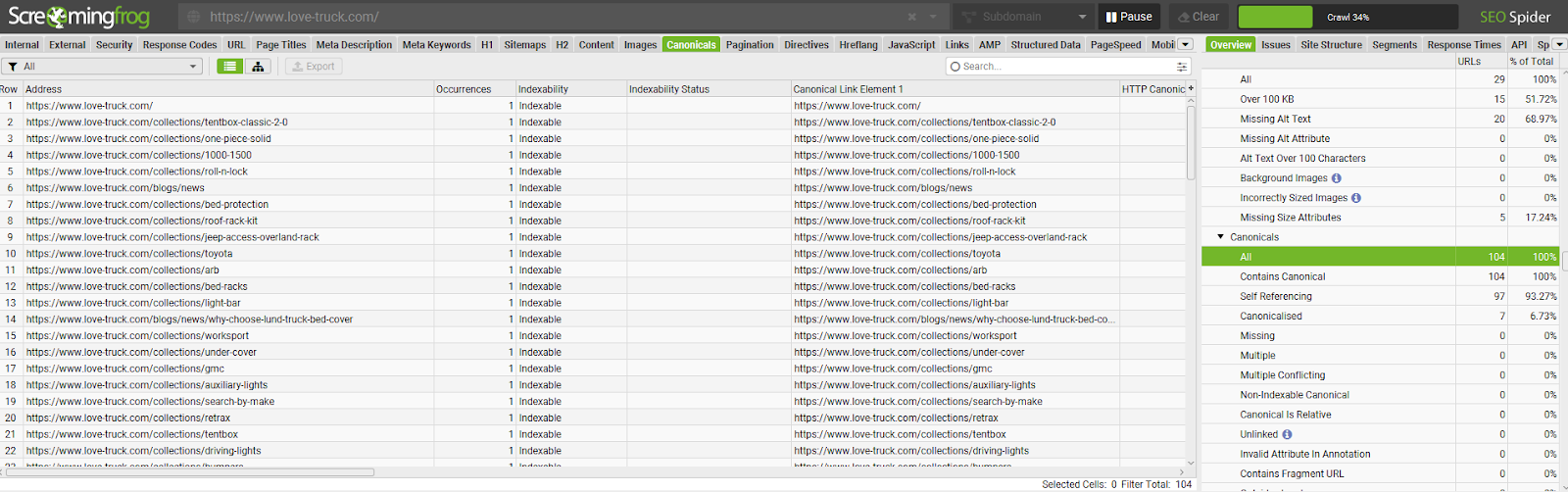
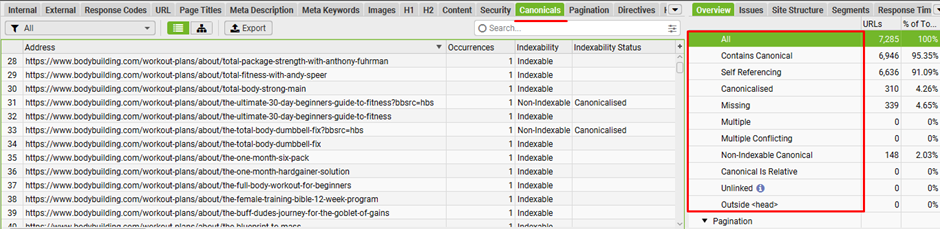
- Crawl your website and review the “Canonicals” tab.
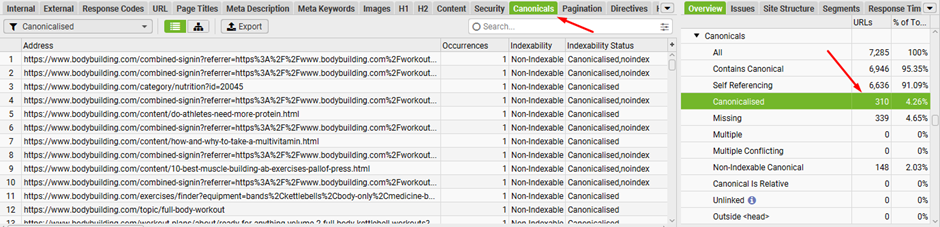
- Identify pages missing canonical tags or instances where adjustments are needed.
Analyze User Behavior with Google Analytics:
- Check for patterns where users access different versions of the same content.
- Look for duplicate content issues based on user behavior.
Fixing the Issue
Identify the Preferred Canonical URL:
- Choose a single URL as the canonical version for each set of similar or duplicate content.
- Ensure consistency in decisions like www vs. non-www and HTTP vs. HTTPS.
Add Canonical Tags to HTML:
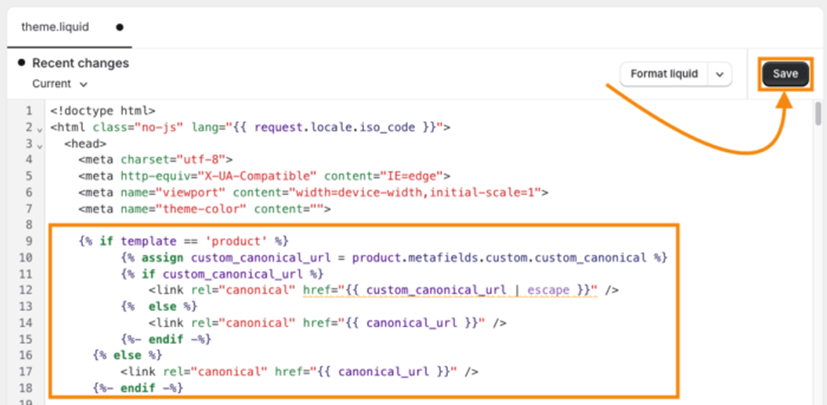
- In the <head> section of non-canonical pages, add a canonical tag pointing to the preferred URL.
- Example: <link rel=”canonical” href=”https://www.yourdomain.com/preferred-url/”>
Handle Dynamic Content:
- Use server-side logic to dynamically generate canonical tags for pages with session IDs, tracking parameters, or variations.
Leverage Shopify Apps:
- Use Shopify apps like SEOAnt – AI SEO Optimizer to automate the creation and implementation of canonical tags across your site.
Ongoing Maintenance:
Regular Audits
- Periodically review your site with tools like Screaming Frog to ensure canonical tags remain accurate and up to date.
- Check for structural changes or new duplicate content
Update the Sitemap:
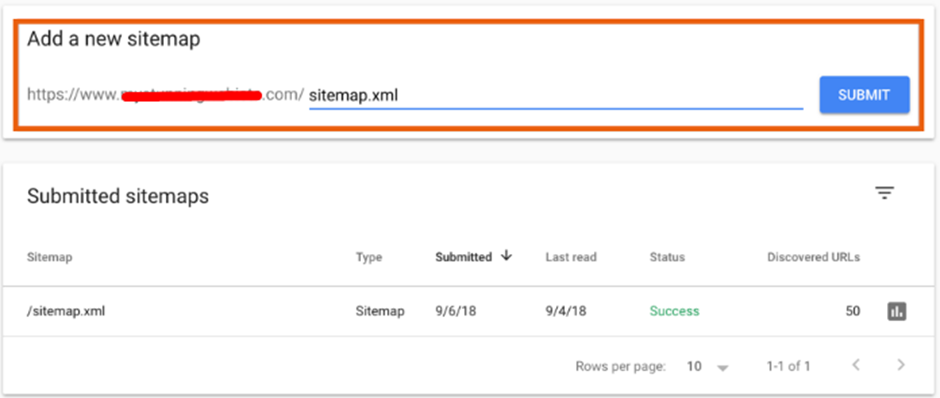
- After adding or adjusting canonical tags, update your sitemap.
- Submit the updated sitemap to Google Search Console to help search engines recognize the correct canonical URLs.
No comments to show.
Leave a Reply